
 WordPress
 WooCommerce
 PHP Websites
 Custom Websites
 Hosting & Servers
 Web Applications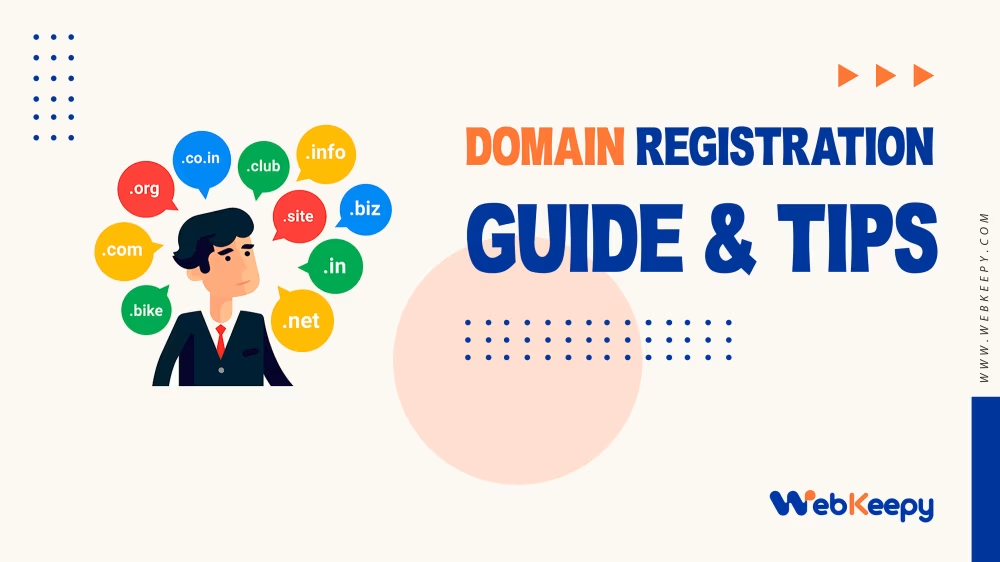
Domain Registration Guide and Important Tips
A domain name is the web address people use to find a website, such as example.com. Domain registration is the process of registering that name for a period of time through a domain registrar.
The topics covered below explain what a domain is, how registration works, what happens when a domain expires, the difference between .com and .org, domain generators, free domains, privacy and WHOIS, the use of AI for choosing a career domain, and how major registrars compare.
1. What a Domain Name Is
A domain is the address associated with an internet service. For example:
google.comis a domain name.google.com/productsis a URL that includes a path.
A domain is not the same as website hosting. You can register a domain without having a website at all.
A useful model
| Component | Purpose | Example |
|---|---|---|
| Domain | The human-readable address of your site or services. | mycompany.com |
| DNS | Connects the domain name to websites, servers, email, and other services. | DNS records for mycompany.com |
| Hosting/server | Actually stores and delivers your website or application. | A web hosting service |
| Email provider | Handles email addresses using your domain. | you@mycompany.com |
2. You Register a Domain; You Do Not Normally Buy It Forever
A domain is generally registered for a defined period, commonly one or several years. You maintain control of it by renewing the registration.
Registration periods can commonly range from one year to multiple years, depending on the domain extension and registrar.
3. What Happens If You Do Not Renew the Domain?
Not renewing normally does not mean the domain disappears immediately. There are generally several stages, although the exact process and timing vary by registrar and domain extension.
- Expiration: The registration period ends. Website and email services may stop working or the registrar may place the domain in an expired state.
- Grace period: There may be a period after expiration during which the domain can still be renewed normally. The exact length varies.
- Redemption period: A domain that remains expired may eventually enter a recovery stage. Renewal may still be possible but can involve a substantial additional fee.
- Deletion and release: Eventually the domain can be deleted and made available for another person or organization to register.
Why expiration can be serious
Suppose a company uses mycompany.com for its website and email. Losing the domain can mean losing access to both the website and email services associated with that domain.
If another person later registers the domain, recovering it can be difficult or impossible.
Good practice
- Consider enabling automatic renewal.
- Keep a valid payment method on the account.
- Keep the registrar contact email working.
- Set a reminder before expiration even when auto-renewal is enabled.
Expiration and recovery rules depend on the specific TLD. A .com, .org, country-code domain, or another specialized TLD may follow different rules.
4. Domain Registrars
A domain registrar is a company through which you register and manage a domain. The registrar typically provides a control panel for registration, renewal, DNS management, transfer settings, and other domain operations.
Examples discussed included:
5. What to Check Before Paying for a Domain
Before clicking the final payment button, there are several things worth checking carefully.
5.1 Check the exact spelling
Verify the exact domain, including punctuation, hyphens, spelling, and extension.
For example, make sure you are buying the intended version rather than a similar domain such as:
brighttech.combright-tech.combrighttech.net- A misspelled version such as
brightteck.com
It can also help to say the domain aloud and ask another person to interpret it. Some names can sound different from how they are spelled.
5.2 Check the extension
The extension, such as .com or .org, is the top-level domain (TLD).
| TLD | Common association |
|---|---|
.com | Commercial businesses and general-purpose websites |
.org | Organizations, nonprofits, communities, and public-interest projects |
.net | Originally associated with networks and technology |
.io | Popular among technology companies and startups |
.ai | Popular for artificial-intelligence-related projects |
| Country-code TLDs | Associated with a particular country or territory |
Some TLDs have special eligibility or registration requirements, and their pricing and renewal rules can differ.
5.3 Check the renewal price
This is one of the most important pricing checks.
A registrar might advertise a very low first-year price. The price after the introductory period may be much higher.
Before paying, check:
- First-year registration price
- Normal renewal price
- Transfer price
- Privacy or proxy cost
- Applicable taxes
- Whether optional services have been added
5.4 Check the registration period
Confirm whether you are registering for one year or a longer period. Make sure the checkout total matches the period you actually intend to purchase.
5.5 Check automatic renewal
Automatic renewal can be useful because it reduces the risk of accidentally losing the domain.
Before enabling it, understand:
- When the charge will occur
- Which payment method will be used
- What price will be charged
- How automatic renewal can be disabled later
5.6 Check domain privacy
Look for whether privacy or proxy protection is included and whether it is available for the particular TLD you are registering.
5.7 Remove unnecessary extras
Registrars may offer additional products during checkout, including:
- Website builders
- Hosting
- Business email
- Security packages
- Backups
- SEO services
- Premium support
None of these are automatically required simply to register a domain. They can be purchased later if you actually need them.
5.8 Check the final checkout total
Verify the actual amount you will be charged after taxes and optional products have been added. Do not rely only on the headline price shown in an advertisement.
5.9 Use the right account
For a business or organization, the domain should ideally be registered under an account controlled by the business rather than under an employee’s personal account.
A safer organizational arrangement is:
- The organization owns the domain.
- The organization controls the registrar account.
- Authorized people receive access as appropriate.
5.10 Consider domain history
If a domain was previously registered, investigate its historical use. A previously owned domain may have been used for spam, scams, malware, aggressive SEO, or controversial content.
5.11 Consider trademarks
A domain being available does not mean that its name is legally safe to use as a business or brand name.
Before investing heavily in a name, consider whether another party already has relevant trademark rights.
6. Can an Organization Use .com or Should It Use .org?
An organization can use .com. It does not have to use .org.
The main difference is usually one of identity and public perception, rather than a requirement that determines whether the organization is legally valid.
| Question | .com | .org |
|---|---|---|
| Can a nonprofit use it? | Yes | Yes |
| Can a for-profit use it? | Yes | Yes |
| Must the registrant be a nonprofit? | No | No |
| Typical public impression | Business or general-purpose | Organization, nonprofit, community, or public-interest |
In practical terms:
- A commercial business will often fit naturally with
.com. - A nonprofit, association, community group, foundation, or public-interest initiative will often fit naturally with
.org. - Either can be used by many kinds of organizations.
The domain extension does not itself establish your legal status. Registering .org does not automatically make an organization nonprofit, and using .com does not make an organization commercial.
It is still necessary to follow the registration rules applicable to the particular TLD. Some country-code or specialized extensions may have special requirements.
7. Are There Really Free Domains?
Free-domain offers exist, but it is important to distinguish between a genuinely free domain registration and a free subdomain.
7.1 Free domains
Some TLDs or promotional programs have offered registrations for zero cost or very low cost. Such offers may come with limitations, changing rules, less familiar extensions, or other trade-offs.
A domain that is free for the first year is not the same as a permanently free domain.
7.2 Free subdomains
A service may give you something such as:
yourproject.somefreehost.com
In this situation, you control the subdomain but do not own somefreehost.com.
This can be perfectly reasonable for testing, learning, or a temporary project.
7.3 Free domain with a hosting plan
Some hosting companies advertise a domain as “free” when it is included with a hosting package, commonly for the first year. The domain may have a normal renewal price after that.
For an important organization or career domain
A reliable paid domain is usually preferable to a questionable free domain. The value of a stable address, predictable renewal, portability, and control generally outweighs a small annual saving.
8. Domain Privacy and Personal Information
Domain registration involves registration data associated with the registrant. Depending on the registrar and TLD, this can include information such as:
- Name
- Email address
- Phone number
- Postal address
- Country
- Registration and technical information
The amount of this information that becomes publicly available depends on the TLD, registry policies, registrar practices, privacy rules, and applicable law.
Domain privacy and proxy services
Many registrars offer privacy or proxy protection that can prevent certain personal contact details from being publicly displayed in registration lookup services, where supported.
For a personal domain, using available privacy protection is generally a sensible precaution.
Do not use fake registration information
Privacy protection should not be confused with providing false registration details. Use legitimate information and use the registrar’s privacy tools where appropriate.
Use a durable email address
The email associated with the registrar account can be important for:
- Password recovery
- Security notifications
- Renewal reminders
- Transfer confirmations
- Account recovery
The account email should therefore be one you expect to control for a long time.
Secure the registrar account
- Use a unique, strong password.
- Enable two-factor or multi-factor authentication.
- Protect recovery methods.
- Keep contact information current.
- Use domain or transfer locking when appropriate.
9. WHOIS and RDAP
WHOIS is the traditional system used to look up information associated with a registered domain.
Today, RDAP is the newer standardized protocol increasingly used for registration-data queries. People still commonly use “WHOIS” as a general term for domain registration lookups.
Information a lookup may show
- Whether a domain is registered
- Registrar
- Registration date
- Expiration date
- Domain status
- Nameservers
- Some registrant or organization information, where publicly available
When privacy protection is enabled, personal details may be hidden or redacted. Not every lookup will reveal the actual owner.
Where to perform a lookup
A common starting point for many generic domains is ICANN Lookup:
Registrars also commonly provide domain-lookup tools.
A WHOIS/RDAP lookup is useful for understanding an existing domain, but a direct availability check at your intended registrar is still the practical step to take before buying a domain.
10. How Domain Name Generators Can Help
A domain name generator is a brainstorming tool. It can generate potential names based on keywords, themes, words, or concepts and may also help check availability for different extensions.
Useful purposes
- Generating ideas when the obvious domain is already taken
- Exploring synonyms and related concepts
- Combining words
- Finding shorter names
- Exploring brandable names
- Producing many candidates quickly
Example
If your topic is “education, community, and future,” a generator might produce ideas based on concepts such as:
- Future
- Learning
- Knowledge
- Community
- Growth
- Skills
- Discovery
Important limitation
A domain being available does not mean it is a good domain.
A good domain should ideally be:
- Easy to pronounce
- Easy to spell
- Easy to remember
- Appropriate for its audience
- Free of obvious unintended meanings
- Suitable for future use
- Not obviously conflicting with an existing brand or trademark
Recommended generator workflow
- Start with your identity and goals.
- Generate a large number of ideas.
- Shortlist the strongest names.
- Check domain availability.
- Check trademarks and existing brands.
- Check pronunciation and international meaning.
- Choose a name.
- Register it through a trustworthy registrar.

11. How AI Can Help With Domain Registration Process
AI can be useful when selecting a domain for your career, portfolio, or personal professional identity. Its greatest value is helping you think through alternatives and trade-offs rather than simply generating a random domain.
11.1 Generate domain ideas
You can give AI information such as:
- Your name or initials
- Your current profession
- Your future career direction
- Target countries or languages
- Desired tone
- Preferred TLD
It can then generate personal-name, professional, and brand-oriented options.
11.2 Evaluate candidate names
AI can compare shortlisted names according to:
| Factor | What to evaluate |
|---|---|
| Memorability | Will people remember it after hearing it once? |
| Pronunciation | Can people say it naturally? |
| Spelling | Can people type it correctly? |
| Professionalism | Does it fit a CV, portfolio, or professional email? |
| Longevity | Will it still make sense years from now? |
| Flexibility | Does it remain suitable if your career changes? |
| International use | Does it work well across relevant languages and countries? |
11.3 Check for obvious linguistic issues
AI can help identify confusing pronunciations, unintended words, awkward abbreviations, or potentially problematic meanings in multiple languages. However, important cultural, legal, or linguistic conclusions should be independently verified.
11.4 Evaluate future-proofing
One of the strongest recommendations from the discussion was to avoid unnecessarily tying a personal career domain to a job title that might change.
For example, if you are currently a junior data analyst but may eventually become a data engineer, machine-learning engineer, or product manager, a domain that is based on your personal name may age better than a domain that permanently defines you as a data analyst.
A personal-name domain such as:
firstnameLastname.com
can often be more future-proof than a domain such as:
firstnameDataAnalyst.com
because your professional career is more likely to change than your name.
11.5 Help design a research process
AI can structure the decision-making process:
- Define your career identity.
- Generate possible names.
- Shortlist the best candidates.
- Check availability.
- Check trademarks and brand conflicts.
- Check WHOIS/RDAP and privacy implications.
- Compare registrar pricing.
- Register the final domain.
- Use it for your portfolio, professional email, CV, projects, and personal brand.
12. How a Career Domain Can Be Used
A career domain can become a central piece of your professional identity.
- Personal portfolio
- Online CV
- Project showcase
- Professional blog
- Professional contact page
- Personal branding
- Professional email address
For example:
you@yourdomain.com
can be useful on a CV, résumé, portfolio, business card, presentation, and professional correspondence.
13. Comparing Major Domain Registration Companies
Several major registrars were discussed. The most important comparison is not necessarily the promotional first-year price. Long-term renewal cost, privacy, security, ease of management, DNS features, and transfer policies are often more important.
| Registrar | Strength | Potential consideration | General fit |
|---|---|---|---|
| Cloudflare Registrar | Transparent pricing model and strong technical/DNS ecosystem | More technical; its setup can be less comfortable for beginners | Technically comfortable users |
| Porkbun | Good value, simple management, privacy on supported domains | Less of an all-in-one ecosystem than some very large providers | Individuals, small projects, career domains |
| Namecheap | Established, beginner-friendly, broad TLD selection | Renewal prices can be higher than promotional first-year prices | Beginners and general users |
| GoDaddy | Large marketplace and wide range of services | Promotional pricing and many optional services require careful checking | Users wanting a broad service ecosystem or domain marketplace |
| Squarespace Domains | Convenient within the Squarespace website ecosystem | Less compelling if you only want a registrar | Existing Squarespace users |
| Dynadot | Good domain-management capabilities | May be more than necessary for someone registering one simple domain | Users managing multiple domains or wanting additional controls |
General recommendations discussed
For a career or personal domain, the following three were identified as a particularly reasonable shortlist:
- Porkbun for a strong balance of simplicity and value.
- Cloudflare Registrar for technically comfortable users who value its pricing and infrastructure.
- Namecheap for a familiar, beginner-friendly option.
GoDaddy can be useful for its larger ecosystem and domain marketplace, but its promotional pricing and optional products make it especially important to inspect the final and renewal costs carefully.
14. Registrar Price Comparison: What Really Matters
Registrar pricing should be evaluated over the period you expect to keep the domain.
| Price item | Why it matters |
|---|---|
| First-year registration | Shows the initial cost but may include a promotion. |
| Renewal | Usually much more important for long-term ownership. |
| Transfer | Important if you later move to another registrar. |
| Privacy | May be included or separately priced depending on the TLD and registrar. |
| Taxes | Can change the final checkout amount. |
| Optional services | Can significantly increase the checkout total. |
For a domain you intend to keep for ten years, a slightly higher introductory price can still be better than a very cheap first year followed by expensive renewals.
15. Registrar and Hosting Do Not Have to Be the Same
You do not necessarily need to buy your domain, hosting, DNS, and email from one company.
A perfectly normal arrangement can use:
- One company for domain registration
- Another service for DNS
- Another platform for website hosting
- Another provider for professional email
For example, a person could register a domain with one registrar, use Cloudflare for DNS, host a website on a separate platform, and use a dedicated email service.
Separating these services can give you flexibility and portability, although using one provider for everything can sometimes be simpler for beginners.
16. The Most Important Security Principle
The registrar account itself is extremely important.
Someone who gains control of the registrar account may potentially be able to change DNS settings, redirect the website, interfere with email, or otherwise disrupt services associated with the domain.
For an organization or important personal domain, treat the registrar account as a critical account rather than as an ordinary website login.
17. Practical Pre-Payment Checklist
Before registering, use this checklist:
- Correct domain spelling
- Correct TLD
- Correct registration period
- First-year price checked
- Renewal price checked
- Transfer price checked
- Privacy availability and cost checked
- Automatic renewal understood
- Optional products removed unless actually needed
- Final checkout amount checked
- Registrar account belongs to you or your organization
- Trademark or brand conflicts considered
- Domain history checked when relevant
18. Recommended Overall Strategy for a Career Domain
For a personal career website, a practical strategy is to prioritize a name that can remain useful throughout your career rather than a name that describes only your current job.
- Start by considering your own name or a flexible personal brand.
- Prefer a short, memorable, easy-to-spell domain.
- Consider
.comfirst for a broadly professional identity, while also considering.meor a career-relevant extension when appropriate. - Use an AI or domain generator to brainstorm alternatives rather than relying on the first available name.
- Check availability independently.
- Check trademarks and existing businesses before investing heavily in the name.
- Check privacy and WHOIS/RDAP implications.
- Compare registration and renewal costs across registrars.
- Secure the registrar account with a unique password and 2FA.
- Enable renewal safeguards so the domain is not accidentally lost.
19. The Core Lessons
| Lesson | Key point |
|---|---|
| Domain ownership | You normally register a domain for a period and renew it rather than owning it forever. |
| Expiration | Failure to renew can eventually lead to losing the domain. |
| Pricing | Always check renewal pricing, not just first-year promotions. |
.com vs .org | Both can be used by many types of organizations; the difference is mainly branding and public expectations. |
| Free domains | Free offers exist, but free subdomains and first-year promotions are much more common than permanently free mainstream domains. |
| Privacy | Check what registration information is publicly visible and whether privacy protection is available. |
| WHOIS/RDAP | These systems provide domain registration information, subject to privacy and registry policies. |
| Generators | They are useful for brainstorming, but availability alone does not make a name good. |
| AI | AI can help brainstorm, evaluate, compare, and future-proof domain ideas, but availability and legal matters still need verification. |
| Registrar | Choose based on long-term cost, security, privacy, management, and transfer flexibility rather than advertisements alone. |
| Security | Protect the registrar account with a strong password, 2FA, secure recovery methods, and appropriate domain locks. |
20. A Simple Decision Framework
When you are ready to register a domain, a simple decision process is:
- Choose the identity: Decide whether the domain represents you personally, your career, a company, or an organization.
- Choose the name: Prefer something memorable, flexible, and easy to spell.
- Choose the extension: Select
.com,.org, or another TLD based on the identity, audience, and relevant rules. - Check legal and reputational issues: Look for trademark conflicts and investigate previously used domains when relevant.
- Check availability and privacy: Use a registrar’s availability check and inspect privacy options.
- Compare registrars: Look at first-year cost, renewal cost, privacy, transfer, DNS, and security features.
- Register under the correct account: Make sure the account is controlled by the intended owner.
- Secure and maintain it: Enable 2FA, consider auto-renewal, keep recovery details current, and monitor expiration.