
 WordPress
 WooCommerce
 PHP Websites
 Custom Websites
 Hosting & Servers
 Web Applications
Web Application Development, Repair & Technical Support
Build, fix, improve, secure, and scale the web applications your business depends on.
A web application is more than a collection of webpages. Customer portals, business dashboards, SaaS platforms, booking systems, internal tools, online platforms, and API-driven applications depend on backend logic, databases, authentication, integrations, user workflows, and infrastructure working together.
WebKeepy helps businesses develop, troubleshoot, modernize, secure, migrate, and maintain web applications. Whether you inherited an existing platform or need a new application built around a specific business process, we focus on the technology behind the workflow as well as the user interface.
- Web Application Repair & Troubleshooting
- Custom Features, APIs & Business Workflows
- Security, Performance & Ongoing Technical Support

When Your Website Becomes a Business System
Some online platforms do far more than present information. They allow customers to sign in, submit requests, manage records, make payments, create bookings, track processes, view dashboards, or interact with data that exists outside the website itself.
Once a website becomes part of a business workflow, technical problems can affect much more than the homepage. A broken API can stop an entire process. A database issue can affect customer records. An authentication problem can prevent users from accessing essential functionality. That is why web application support needs to consider the complete system, not just the visible interface.
From Customer Portals to Internal Platforms, We Work on the Systems Behind the Screen
Web applications can serve very different purposes, but the underlying technical challenges often overlap. We work across the interface, application logic, data layer, integrations, and hosting environment.
- Broken Workflows – Forms, dashboards, account areas, booking flows, search, uploads, reports, and other application processes that no longer behave correctly.
- Authentication Problems – Login failures, session issues, permissions, role-based access, password flows, and account-related problems.
- Database Issues – Connection failures, incorrect queries, slow data access, schema problems, synchronization issues, and data integrity concerns.
- API & Integration Failures – Payment gateways, CRMs, ERPs, email services, external APIs, webhooks, and other connected systems.
- Performance Bottlenecks – Slow requests, inefficient database queries, heavy frontend code, external dependencies, and infrastructure limitations.
- Legacy Applications – Older frameworks, undocumented code, outdated dependencies, fragile architecture, and systems that have become difficult to extend.

Where Web Applications Tend to Break
Application failures often occur at the boundaries between components. A problem that appears to be a frontend bug may originate in an API, a database query, a permission rule, or the hosting environment. The right fix starts by tracing the complete request or workflow.
| Web Application Problem | Recommended Approach |
| Application Is Broken or Returning Errors | Trace the failing request through frontend code, backend logic, APIs, database queries, logs, and infrastructure to identify the actual failure point. Learn about Website Repair. |
| Users Cannot Log In | Investigate authentication logic, sessions, cookies, credentials, permissions, account state, database records, and security controls affecting access. |
| API or Integration Has Stopped Working | Review API credentials, request and response data, authentication, webhooks, rate limits, endpoint changes, error handling, and application-side integration logic. |
| Application Has Become Slow | Analyze server response time, database queries, backend processing, external services, frontend assets, caching, and infrastructure to locate the real bottleneck. Explore Performance Optimization. |
| Data Is Missing, Incorrect, or Not Syncing | Investigate database writes, queries, scheduled tasks, APIs, synchronization logic, data transformations, and application workflows before changing stored data. |
| Application Has Security Concerns | Review authentication, authorization, input handling, dependencies, APIs, sessions, database access, server configuration, and other application security controls. See Website Security Services. |
| Existing Application Is Difficult to Extend | Review the current architecture, dependencies, technical debt, and business requirements to determine whether incremental development, modernization, or rebuilding is the right approach. Explore Website Rebuild. |
| Hosting Environment Is Limiting the Application | Review server resources, PHP or runtime settings, database services, SSL, DNS, deployment configuration, storage, and other infrastructure requirements. Explore Hosting Management. |
Your application is failing, but the error message does not tell you why?Tell us what the user is trying to do, what happens instead, and when the problem started. We can help trace the workflow and identify where the failure occurs.Contact WebKeepy.
One Technical Team for the Application, Not Just the Interface
Web application work often crosses several technical layers. We can support an existing application or develop new functionality while considering the architecture underneath it.
Application Repair
Diagnose and fix broken workflows, errors, failed requests, database problems, authentication issues, and integration failures.
Website RepairCustom Application Development
Build new modules, dashboards, workflows, APIs, integrations, user features, business logic, and other functionality around specific requirements.
Website DevelopmentApplication Security
Review authentication, authorization, dependencies, APIs, data handling, access controls, and infrastructure to strengthen application security.
Website SecurityApplication Performance
Improve slow endpoints, database access, backend processing, frontend delivery, caching, external requests, and infrastructure-related bottlenecks.
Performance OptimizationApplication Migration
Move web applications between servers, hosts, domains, or environments while accounting for databases, runtime versions, integrations, and deployment requirements.
Website MigrationOngoing Application Support
Continue improving and maintaining your application through recurring troubleshooting, updates, development tasks, performance work, and technical support.
Technical SupportWhat Sits Behind a Modern Web Application?
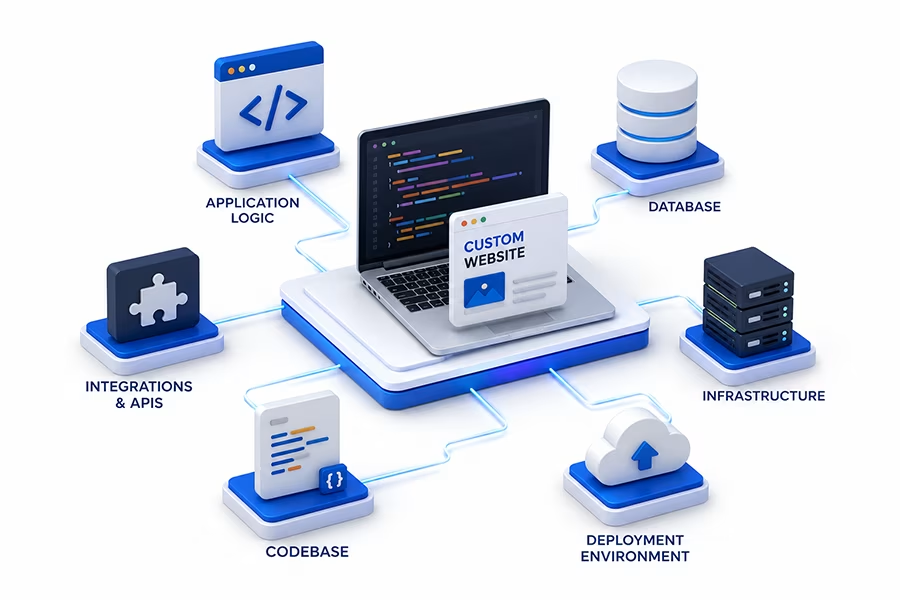
The interface users see is only one layer of the system. Reliable web applications depend on several technical components working together.
User Interface
Responsive screens, forms, tables, dashboards, navigation, interactive components, client-side logic, accessibility, and frontend performance.
Application Logic
Business rules, authentication, workflows, background tasks, server-side processing, validation, permissions, and application services.
APIs & External Services
Payment providers, CRM and ERP platforms, communication services, analytics, third-party APIs, webhooks, data feeds, and connected systems.
Data & Database
Structured application data, queries, relationships, indexes, migrations, transactions, synchronization, backups, and data access patterns.
Hosting & Infrastructure
Web servers, application runtimes, storage, networking, DNS, SSL, databases, deployment environments, resource limits, and server configuration.
Hosting & ServersMonitoring & Observability
Application logs, server logs, error reporting, performance metrics, uptime monitoring, and other signals that help identify problems before they become larger incidents.
Have an Application That Your Business Cannot Afford to Lose?
Customer portals, internal systems, SaaS products, booking platforms, and business dashboards often become critical infrastructure. We help keep those systems usable, secure, and maintainable.
Discuss Your ApplicationA Better Way to Take Over or Improve an Existing Application
Inherited applications can contain years of business logic, integrations, and data. Replacing everything immediately is not always necessary. We begin by understanding the system, identifying its constraints, and defining what needs to change.
Map the Application
We identify the main components, user roles, workflows, backend services, database, APIs, integrations, hosting environment, and deployment process.
Find the Critical Dependencies
We identify technical dependencies, external services, shared components, data relationships, fragile integrations, and other elements that can affect future changes.
Prioritize the Real Business Risks
We separate urgent functional failures from security, performance, maintenance, and architecture issues so the most important problems are handled first.
Repair, Improve, or Extend
We implement the appropriate changes, whether that means fixing a bug, improving performance, replacing a fragile component, or developing an entirely new workflow.
Test Real User Journeys
We verify the workflows that matter to the business, including authentication, forms, dashboards, transactions, APIs, data operations, notifications, and integrations.
Make Future Changes Easier
We can improve documentation, backups, deployment practices, security, monitoring, and technical structure so the application is easier to support and evolve.
Build on What Works, Replace What Does Not
A mature web application often contains valuable business logic that should not be discarded without a reason. The best path depends on the quality of the existing architecture and what the business needs next.
Keep the current architecture when it is fundamentally sound and the problem can be isolated without restructuring the entire application.
- Broken workflows
- API or integration failures
- Authentication problems
- Database or application errors
- Deployment issues
Modernize or extend the existing application when its core architecture remains useful but performance, maintainability, security, or functionality needs improvement.
- New application features
- Refactoring and technical improvements
- API and system integrations
- Performance improvements
- Security and maintainability work
Consider a new architecture when the current system has become a long-term barrier to security, performance, maintenance, or major product requirements.
- Fragile or obsolete architecture
- Unmanageable technical debt
- Recurring critical failures
- Structural performance limitations
- Major change in business requirements
Performance, Security and Reliability Are Part of the Application
A web application can have a polished interface and still be technically fragile. Good application health means the system can handle real users, protect data, process requests reliably, and continue evolving without every change creating another problem.
- Application Performance – Identify slow endpoints, inefficient processing, excessive API requests, frontend bottlenecks, and other causes of poor responsiveness.
- Database Efficiency – Review queries, indexes, relationships, data access patterns, and database operations affecting response time and reliability.
- Caching Strategy – Use appropriate caching mechanisms where they fit the application’s dynamic data and workflow requirements.
- Authentication & Authorization – Review login flows, roles, permissions, sessions, account access, and other controls around protected functionality.
- Application Security – Assess inputs, dependencies, APIs, data handling, access controls, configuration, and infrastructure around the application.
- Backup & Recovery – Protect application data, files, and critical configuration so the platform can be restored after a failure or security incident.
For focused performance work, see Website Performance Optimization.For application security, see Website Security.For recovery planning, see Backup & Recovery.

Need a Reliable Technical Partner for Your Web Application?
From one difficult bug to ongoing development and support, we can help you keep your application useful, secure, maintainable, and aligned with the needs of your business.
Turn Business Workflows Into Purpose-Built Web Software
When standard website tools are not enough, a custom web application can bring business processes, data, users, and external systems into one place. The goal is not to add complexity. It is to create software around the way the business actually operates.
We can develop new web applications or extend an existing platform with functionality that is specific to your customers, employees, partners, or internal operations.
- Customer Portals
- Internal Dashboards
- Booking & Scheduling Systems
- Membership Platforms
- SaaS Products
- Data & Reporting Tools
- API-Driven Platforms
- Custom Business Systems
Why WebKeepy for Web Application Support?
A web application sits at the intersection of software development, data, infrastructure, security, and business processes. That means fixing one part without understanding the rest can create another problem somewhere else.
- System-Level Troubleshooting
- Custom Development Expertise
- Database-Aware Engineering
- Security-Minded Architecture
- Infrastructure Awareness
- Clear Technical Communication
We do not treat every application problem as a reason to rebuild. When the current platform is valuable and viable, we improve it. When its architecture has become a barrier to the business, we can help plan a more sustainable replacement.

Related Website Services
Web applications often require several types of technical work over their lifecycle. These services cover the most common paths from problem to solution.
Website Repair
Diagnose and fix application errors, broken workflows, failed APIs, database problems, authentication issues, and other technical failures.

Website Redesign
Improve the interface, navigation, user experience, responsive behavior, and visual presentation of an existing application.
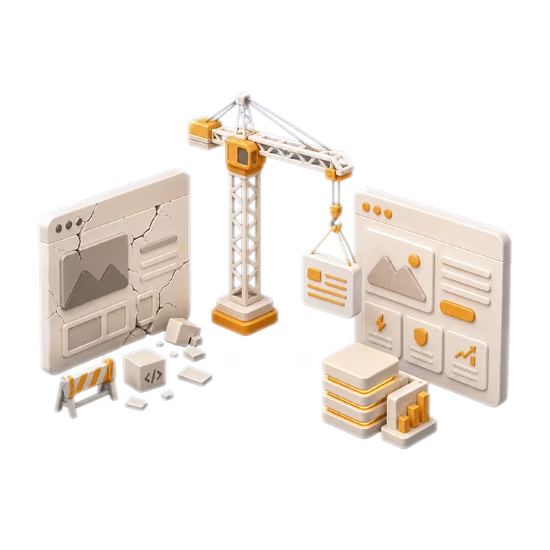
Website Rebuild
Re-architect applications when the existing platform has become too fragile, outdated, difficult to maintain, or restrictive for future development.
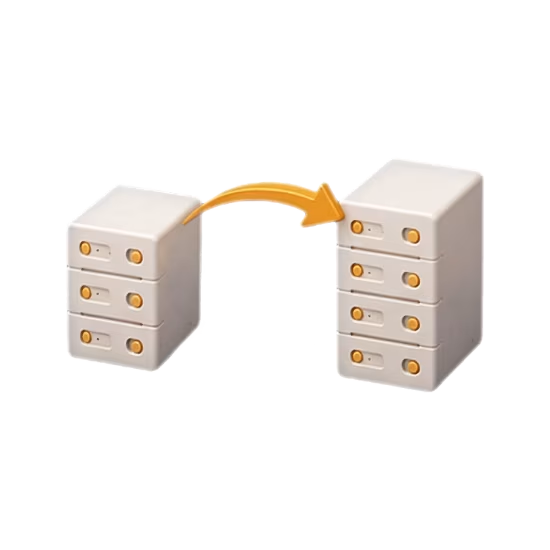
Website Migration
Move applications between servers, hosting providers, domains, or environments while accounting for databases, runtimes, APIs, DNS, SSL, and deployment.

Technical SEO
Improve crawlability, indexing, rendering, redirects, structured data, canonicalization, and other technical aspects of search visibility.

Ongoing Technical Support
Keep your application moving with recurring troubleshooting, maintenance, development tasks, security work, performance improvements, and technical guidance.
What Happens When Your Application Data Is Lost?
Databases often contain the most important part of a web application: customer records, transactions, settings, business data, and operational history. Backups should be designed around recovering the application and its data, not simply creating a copy of a server.
Frequently Asked Questions About Web Application Development & Support
Whether you are maintaining an existing application or planning a new one, these questions address some of the most common technical concerns businesses face.