
 WordPress
 WooCommerce
 PHP Websites
 Custom Websites
 Hosting & Servers
 Web Applications
WordPress Technical Support, Repair & Development
Fix problems, improve performance, strengthen security, and keep your WordPress website running reliably.
WordPress powers millions of websites, but keeping a WordPress site healthy requires more than installing plugins and applying updates. Compatibility issues, broken themes, database errors, security vulnerabilities, slow performance, and outdated code can quickly turn a simple website into a technical problem.
WebKeepy provides technical support for WordPress websites at every stage of their lifecycle, from repairing an existing site to redesigning, rebuilding, migrating, securing, optimizing, and maintaining it.
- WordPress Repair & Troubleshooting
- Performance & Core Web Vitals Optimization
- Security, Malware Removal & Hardening

WordPress Is Easy to Start. Keeping It Healthy Takes Technical Expertise.
A WordPress website is made of many interconnected components: WordPress core, themes, plugins, PHP, MySQL, the web server, DNS, caching, security controls, third-party integrations, and your site’s own content and custom code.
When one part changes or fails, another part can break. A plugin update can conflict with a theme. A PHP upgrade can expose outdated code. A poorly configured cache can create unexpected behavior. A compromised administrator account can put the entire website at risk.
What We Handle on WordPress Websites
Our WordPress support is not limited to one type of problem. We work across the application, database, hosting environment, performance layer, and front-end experience.
- Broken Websites – Critical errors, white screens, failed updates, broken layouts, and plugin conflicts.
- Slow Websites – Poor caching, large assets, database overhead, inefficient plugins, and server bottlenecks.
- Security Problems – Malware, suspicious redirects, vulnerable plugins, compromised accounts, and weak configurations.
- Outdated WordPress Sites – Legacy themes, unsupported plugins, obsolete PHP versions, and difficult-to-maintain code.
- Custom Functionality – API integrations, custom features, advanced forms, business workflows, and theme or plugin modifications.
- Hosting & Migration Issues – DNS, SSL, server configuration, database migration, domain changes, and hosting moves.
Common WordPress Problems & the Right Solution
Not every WordPress problem requires the same approach. Sometimes a targeted repair is enough. In other cases, redesigning, rebuilding, or moving the website is the more reliable long-term solution.
| WordPress Problem | Recommended Approach |
| Critical Error or Broken Website | Diagnose the root cause, isolate the conflict, repair the affected components, and verify the site across the frontend and admin area. Learn about Website Repair. |
| Plugin or Theme Conflict | Identify the conflicting component, restore functionality, and recommend a safer configuration or replacement where necessary. |
| Slow WordPress Website | Review hosting, database queries, plugins, caching, images, scripts, and frontend delivery to identify the actual performance bottlenecks. Explore Performance Optimization. |
| Malware or Hacked Website | Investigate the compromise, remove malicious code, identify the likely entry point, restore affected components, and strengthen the site’s security. See Website Security Services. |
| Failed WordPress or PHP Update | Identify compatibility problems between WordPress core, plugins, themes, PHP, and the hosting environment before applying a controlled fix. |
| Outdated or Difficult-to-Maintain Website | Assess whether the existing website should be modernized, redesigned, or rebuilt instead of repeatedly patching an aging codebase. Explore Website Rebuild. |
| Hosting or Server Problems | Review DNS, SSL, PHP configuration, database connectivity, server resources, caching, and hosting settings. Explore Hosting Management. |
Not sure what is wrong with your WordPress website? Tell us what changed, what stopped working, or what you are trying to improve. We can assess the situation and recommend the most appropriate technical solution. Contact WebKeepy.
WordPress Services We Provide
We support WordPress throughout its lifecycle. Whether you need to fix an existing website, improve it, move it, or build new functionality, the service should match the actual technical problem.
WordPress Repair
Fix critical errors, broken plugins, failed updates, white screens, PHP errors, database problems, broken layouts, and other WordPress issues.
Website RepairWordPress Maintenance
Keep WordPress core, plugins, themes, backups, security settings, and technical components maintained and monitored over time.
Website MaintenanceWordPress Security
Improve security controls, identify vulnerabilities, clean malware infections, strengthen access controls, and reduce the risk of reinfection.
Website SecurityWordPress Optimization
Improve loading performance by addressing hosting, caching, database queries, images, scripts, plugins, and frontend delivery.
Performance OptimizationWordPress Migration
Move your WordPress website to a new host, domain, server, or environment while protecting files, databases, URLs, settings, and functionality.
Website MigrationWordPress Development
Build custom functionality, integrations, forms, workflows, API connections, custom theme components, and other WordPress features.
Website DevelopmentA WordPress Website Is More Than WordPress Core
Troubleshooting WordPress effectively requires understanding the entire environment around the CMS. We look beyond the visible page and investigate the components that can affect reliability, performance, and security.
WordPress Core
Core updates, configuration, version compatibility, administrator settings, multisite considerations, and update-related failures.
Plugins & Themes
Compatibility issues, excessive plugin usage, outdated components, custom modifications, conflicts, and dependency problems.
PHP Environment
PHP version compatibility, deprecated functions, memory limits, execution settings, extensions, and server-side errors.
Database
MySQL database health, oversized tables, autoloaded data, connection problems, query issues, and database-related performance bottlenecks.
Hosting & Server
Web server configuration, SSL, DNS, resource limits, caching layers, storage, CPU and memory usage, and deployment environments.
Hosting & ServersAPIs & Integrations
Payment gateways, CRM systems, email services, analytics platforms, external APIs, automation systems, and custom integrations.
Want to Stop Dealing With WordPress Problems One by One?
Ongoing maintenance can reduce avoidable failures by keeping WordPress, themes, plugins, backups, security controls, and technical components under regular review.
Explore WordPress MaintenanceHow We Approach WordPress Projects
Good WordPress work starts with diagnosis. Instead of changing multiple things at once, we first identify the problem, understand the environment, and then choose the least risky solution that solves it properly.
Assess the Website
We review the website, hosting environment, WordPress configuration, themes, plugins, recent changes, and available logs to understand the current state.
Identify the Root Cause
We distinguish symptoms from the actual cause. A broken page may be caused by a plugin, PHP incompatibility, database issue, server configuration, or custom code.
Choose the Right Solution
We determine whether the site needs a repair, optimization, redesign, migration, security intervention, custom development, or a full rebuild.
Implement the Changes
Changes are applied carefully with attention to compatibility, existing functionality, database integrity, SEO requirements, and the site’s current architecture.
Test Before Delivery
We verify important pages, forms, integrations, responsive behavior, authentication, backend functionality, and other areas affected by the changes.
Improve Reliability
After the immediate problem is solved, we can recommend maintenance, security, performance, backup, or modernization measures to reduce future risk.
Should You Repair, Redesign, or Rebuild Your WordPress Website?
One of the most important decisions is knowing when to stop patching an existing website. The right choice depends on the condition of the codebase, design, architecture, performance, security, and future requirements.
Repair is usually the right option when the website is fundamentally healthy but something has stopped working.
- Broken plugins or themes
- PHP or WordPress errors
- Failed updates
- Database or configuration problems
- Security incidents
Redesign is appropriate when the technical platform can stay in place but the user experience, visual design, content structure, or responsive behavior needs substantial improvement.
- Outdated visual design
- Poor mobile experience
- Weak information architecture
- Conversion and UX problems
- Same WordPress platform, better experience
Rebuild becomes more appropriate when the current architecture, code, theme, or collection of plugins is creating ongoing technical limitations.
- Legacy or heavily modified code
- Too many dependencies
- Poor performance architecture
- Security and maintenance risks
- Major functional requirements
Performance, Security and Technical Health
A WordPress website should not be judged only by whether the homepage loads. A technically healthy site should also be secure, maintainable, responsive, reasonably fast, and capable of handling future changes.
- Core Web Vitals – Identify frontend bottlenecks affecting loading, responsiveness, and visual stability.
- Database Health – Review database overhead, unnecessary data, and configuration issues that can affect performance.
- Caching – Review page caching, object caching, browser caching, and CDN configuration where appropriate.
- Plugin Review – Identify redundant, outdated, conflicting, or unnecessarily resource-intensive plugins.
- Security Hardening – Strengthen administrator access, software updates, file permissions, and other security controls.
- Backup & Recovery – Establish reliable recovery points so a technical failure or security incident does not become a permanent loss.
For focused performance work, see Website Performance Optimization. For security work, see Website Security. For backup planning, see Backup & Recovery.

Need Expert Help With Your WordPress Website?
Whether your WordPress website is broken, slow, outdated, insecure, difficult to maintain, or simply ready for its next stage, we can help you choose the right technical approach.
WordPress Can Be Extended Far Beyond a Standard Website
WordPress can serve as the foundation for much more than a simple company website. When the right architecture is used, it can support custom business processes, integrations, content workflows, and specialized functionality.
We can work with an existing WordPress installation or build new functionality around its current architecture.
- Custom WordPress Features
- API Integrations
- Custom Forms & Workflows
- Third-Party Integrations
- Custom Post Types
- Membership & User Systems
- Dashboard & Admin Features
- Custom Business Logic
Why Choose WebKeepy for WordPress Support?
WordPress problems often cross the boundaries between design, code, hosting, security, performance, and content management. We approach the website as one technical system rather than treating each problem in isolation.
- Root-Cause Troubleshooting
- Technical & Development Expertise
- Hosting & Infrastructure Awareness
- Security-Minded Approach
- Performance-Focused Solutions
- Clear Technical Communication
We do not assume that replacing everything is the answer. When a targeted fix is enough, we fix the problem. When the underlying architecture is holding the website back, we explain why a larger change may be worthwhile.

Related Website Services
WordPress is the platform. The actual technical requirement can be repair, redesign, migration, security, performance improvement, or ongoing support.
Website Repair
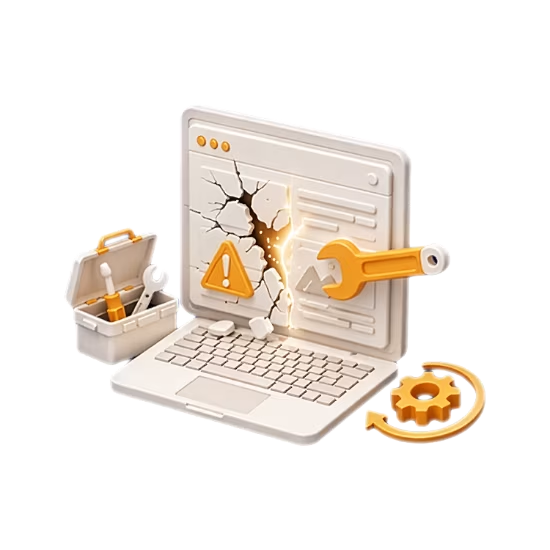
Fix broken pages, errors, crashes, plugin conflicts, database problems, failed updates, dead screens, misconfigurations, and other technical failures.
Website Redesign
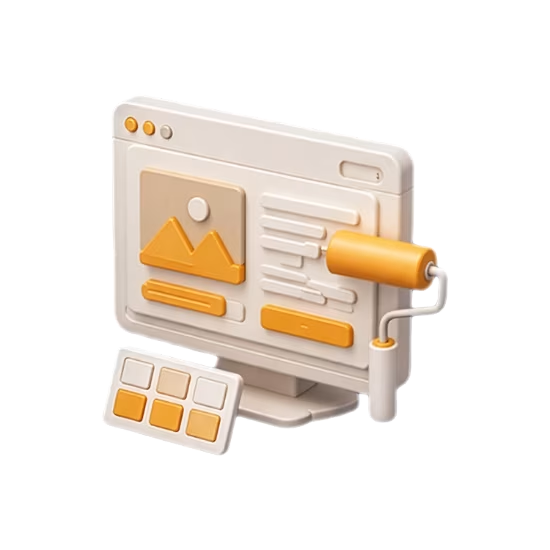
Improve visual design, UX, content structure, responsiveness, and conversion performance while keeping the existing platform.
Website Rebuild
Re-architect outdated or difficult-to-maintain websites when incremental fixes are no longer a reliable long-term solution.
Website Migration
Move WordPress websites between hosts, servers, domains, or environments while protecting functionality and data.

Technical SEO
Improve crawling, indexing, technical structure, redirects, structured data, and other technical aspects affecting search visibility.
Ongoing Technical Support
Get continued assistance for WordPress updates, troubleshooting, development tasks, maintenance, and technical issues.
Is Your WordPress Website Properly Backed Up?
A backup is only useful if it is reliable and can actually be restored. Build a recovery strategy before a failed update, server problem, or security incident becomes a major business interruption.
Frequently Asked Questions About WordPress Support
Here are some of the most common questions businesses ask before getting technical help with a WordPress website.