
 WordPress
 WooCommerce
 PHP Websites
 Custom Websites
 Hosting & Servers
 Web Applications
Custom Website Support, Repair & Development
Technical expertise for websites built outside standard CMS platforms.
Custom websites are often built around the specific requirements of a business, which can make them powerful and flexible. It can also make them harder to maintain when the original developer is unavailable, the codebase is poorly documented, dependencies become outdated, or the business needs functionality that was never part of the original architecture.
WebKeepy helps businesses take control of existing custom websites, from troubleshooting and maintenance to performance, security, migration, modernization, and new feature development.
- Repair Existing Custom Websites
- Extend and Modernize Custom Code
- Improve Security, Performance & Reliability
Your Custom Website Should Not Depend on One Developer
A custom website can be built with almost any combination of technologies, frameworks, databases, APIs, and business logic. That flexibility is valuable, but it also means that the technical knowledge required to maintain the system may not be obvious from the frontend.
When the original developer disappears, documentation is missing, or the underlying platform becomes outdated, even a small change can become risky. We help businesses understand what they already have, stabilize it when necessary, and create a practical path for future development.
What We Handle on Custom Websites
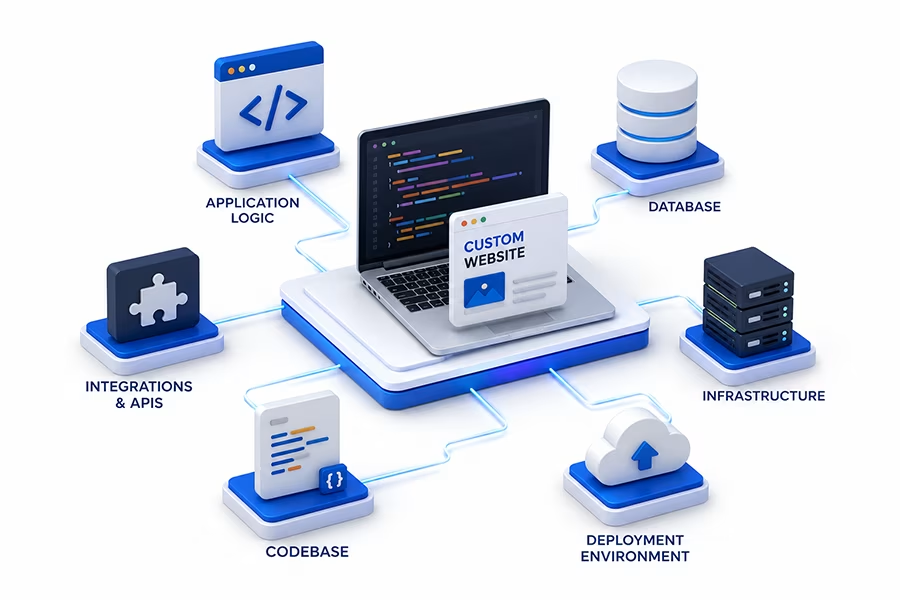
Custom websites require a technical investigation that goes beyond the visible interface. We look at the application, codebase, database, infrastructure, integrations, and deployment environment that make the system work.
- Broken Features – Forms, login systems, dashboards, search, uploads, workflows, APIs, and other functionality that no longer works correctly.
- Unknown Codebases – Websites built by previous developers with limited documentation or unfamiliar architecture.
- Legacy Technology – Outdated frameworks, libraries, dependencies, PHP versions, JavaScript components, or server environments.
- Database Problems – Connection failures, inefficient queries, schema issues, data integrity problems, and application-database conflicts.
- Hosting & Deployment Issues – Server configuration, permissions, SSL, DNS, environment variables, cron jobs, and deployment failures.
- Custom Integrations – APIs, payment systems, CRM, ERP, inventory, external services, automation, and data synchronization.
Common Custom Website Problems & the Right Solution
A custom website should be evaluated based on its actual architecture and business requirements. Sometimes a focused repair is enough. Sometimes the underlying code needs modernization. In other situations, rebuilding the system is the more practical option.
| Custom Website Problem | Recommended Approach |
| Website or Application Is Broken | Trace the failure through the application, logs, database, integrations, and server environment and restore the affected functionality. Learn about Website Repair. |
| Original Developer Is Unavailable | Review the existing codebase, documentation, dependencies, hosting environment, database, and deployment process to establish a technical understanding of the system. |
| Website Is Slow | Investigate application code, database queries, external requests, caching, server resources, frontend assets, and other bottlenecks before making performance changes. Explore Performance Optimization. |
| Security Vulnerability or Compromise | Investigate the application, dependencies, authentication, database, filesystem, and infrastructure for vulnerabilities or signs of compromise and implement appropriate security improvements. See Website Security Services. |
| Hosting Environment Has Changed | Review PHP, web server configuration, extensions, database connectivity, permissions, DNS, SSL, environment variables, and deployment requirements. Explore Hosting Management. |
| Codebase Is Outdated | Assess frameworks, dependencies, runtime versions, architecture, and security limitations to determine whether modernization or rebuilding is appropriate. Explore Website Rebuild. |
| New Integration Is Required | Review the application’s architecture and available APIs, then implement the required integration while preserving existing business logic and workflows. Explore Website Development. |
| Website Needs to Move | Plan the migration around the application’s dependencies, database, server requirements, URLs, DNS, SSL, and deployment process. Explore Website Migration. |
Do you have a custom website that nobody fully understands anymore?You do not need to know its entire technology stack before contacting us. Tell us what the website does, what is no longer working, and what you need to change.Contact WebKeepy.
Custom Website Services We Provide
We can work with an existing custom website at different levels, from fixing one broken feature to taking over the technical maintenance of the entire platform or developing major new functionality.
Custom Website Repair
Diagnose and fix broken functionality, application errors, database issues, integration failures, and other technical problems.
Website RepairCustom Website Maintenance
Keep application code, dependencies, backups, security controls, hosting configuration, and recurring technical tasks under ongoing management.
Website MaintenanceCustom Website Security
Review application security, authentication, dependencies, access controls, server configuration, and other risks affecting the system.
Website SecurityCustom Website Optimization
Identify and improve application code, database queries, caching, server resources, API calls, and frontend performance.
Performance OptimizationCustom Website Migration
Move applications between hosting providers, servers, domains, or environments while accounting for the application’s technical dependencies.
Website MigrationCustom Development
Build new features, workflows, dashboards, APIs, integrations, user systems, business logic, and other functionality around your existing platform.
Website DevelopmentA Custom Website Is More Than Its Frontend
Two websites can look almost identical to a customer while being built on completely different architectures. That is why reliable support requires understanding the technologies underneath the interface.
Frontend
HTML, CSS, JavaScript, responsive layouts, interactive components, forms, client-side logic, accessibility, and frontend performance.
Backend & Application Logic
PHP, Node.js, Python, server-side logic, authentication, business rules, APIs, background tasks, and application workflows.
Framework & Architecture
Custom MVC systems, PHP frameworks, JavaScript frameworks, application structure, routing, modules, services, and other architectural components.
Database
MySQL, PostgreSQL, and other databases, including schemas, queries, indexes, relationships, migrations, and application data.
Hosting & Infrastructure
Web servers, PHP runtimes, SSL, DNS, permissions, storage, CPU and memory resources, cron jobs, deployment environments, and server configuration.
Hosting & ServersAPIs & Integrations
Payment providers, CRM systems, ERP platforms, analytics, email services, external APIs, webhooks, automation, and data synchronization.
Need Someone to Take Over an Existing Custom Website?
You do not need to rebuild a website simply because the original developer is unavailable. The first step is to understand what you already have and what it actually needs.
Request a Technical AssessmentHow We Approach Existing Custom Website Projects
Taking over an unfamiliar website requires a controlled process. We first build enough technical understanding to make changes safely, then prioritize the issues and improvements that matter most to the business.
Discover the Existing System
We review the codebase, architecture, framework, database, integrations, hosting environment, configuration, deployment process, and available documentation.
Identify Risks & Dependencies
We identify outdated libraries, unsupported technology, technical debt, security concerns, fragile integrations, missing backups, and other risks that could affect future work.
Prioritize the Work
We distinguish urgent problems from technical debt and future improvements so the most important risks are addressed first.
Implement the Changes
We repair, modify, secure, optimize, migrate, or extend the system while minimizing disruption to existing business operations.
Test the Critical Workflows
We verify important user journeys, forms, authentication, business processes, APIs, database operations, integrations, and other affected functionality.
Build Long-Term Maintainability
We can document important findings, establish maintenance practices, improve backups and security, and create a clearer technical path for future development.
Should You Repair, Modernize, or Rebuild Your Custom Website?
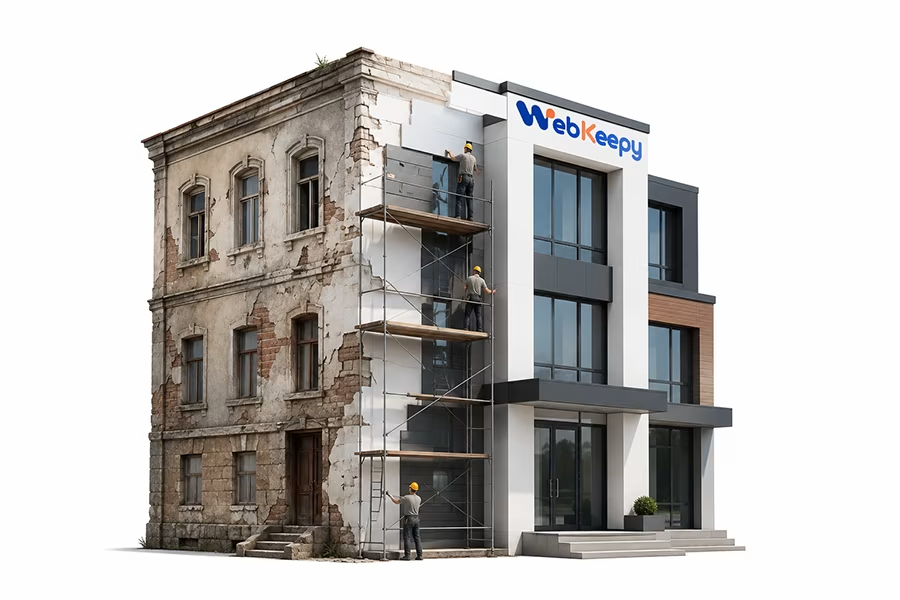
The goal should not automatically be to preserve the current code forever or replace everything immediately. The right decision depends on the condition of the existing system, its business value, and what you need it to do next.
Repair is appropriate when the current architecture is still viable and a specific issue can be isolated and corrected without restructuring the entire system.
- Broken functionality
- Database or configuration errors
- Failed integrations
- Hosting or deployment problems
- Localized application bugs
Modernization is a good fit when the business value of the existing application is high but some technical components need to be updated or reorganized.
- Update framework or dependencies
- Improve code structure
- Replace obsolete components
- Improve security and performance
- Preserve valuable existing business logic
Rebuilding becomes more appropriate when the current architecture prevents reliable development or creates unacceptable maintenance, security, or performance risks.
- Unsupported architecture
- Heavily fragmented codebase
- Unmanageable technical debt
- Recurring critical failures
- Major new business requirements
Performance, Security and Technical Health
A custom website can work perfectly for years and still contain technical risks that are invisible from the frontend. Technical health means the application is maintainable, secure, reasonably fast, backed up, and compatible with the environment in which it runs.
- Application Performance – Identify slow code paths, inefficient queries, unnecessary requests, and other application-level bottlenecks.
- Database Health – Review queries, indexes, schema issues, data growth, connections, and database performance.
- Caching – Evaluate application, object, page, or CDN caching strategies where they fit the architecture.
- Dependency Review – Identify obsolete libraries, unsupported packages, and components that could create compatibility or security problems.
- Security Hardening – Strengthen authentication, access controls, application configuration, dependencies, and server-level security.
- Backup & Recovery – Protect application files and databases and establish a practical recovery process.
For focused performance work, see Website Performance Optimization.For security work, see Website Security.For backup planning, see Backup & Recovery.

Need Expert Help With an Existing Custom Website?
Whether you inherited an unfamiliar codebase, need to fix a critical problem, want to add new functionality, or are considering a rebuild, we can help assess the system and define the next step.
Custom Websites Can Be Extended Around Your Existing Business Logic
Existing custom websites often contain processes that are unique to the business. Replacing them may not be necessary. When the architecture allows it, new functionality can be added around the systems you already rely on.
We can build new features and integrations while working within the existing application’s technical constraints, or recommend architectural changes when the current system cannot support the requested functionality safely.
- Custom Business Features
- API Integrations
- User & Access Systems
- Custom Forms & Workflows
- Admin Dashboards
- Database & Data Workflows
- Third-Party Integrations
- Automation & Reporting
Why Choose WebKeepy for Custom Website Support?
Custom websites require more than familiarity with a particular CMS. The important questions are how the application is structured, how its components interact, where the data lives, how it is deployed, and what risks could affect future changes.
- Technical Discovery First
- Custom Development Expertise
- Database-Aware Troubleshooting
- Security-Minded Approach
- Infrastructure Awareness
- Clear Technical Communication
We do not assume that rebuilding is always the answer. When the existing system is valuable and technically viable, we preserve and improve it. When its architecture creates unacceptable long-term limitations, we can help plan a more sustainable replacement.

Related Website Services
A custom-built platform can require different types of technical work depending on its current condition and future goals.
Website Repair
Fix broken functionality, application errors, database issues, integrations, deployment problems, and other technical failures.
Website Redesign
Improve the frontend experience, information architecture, responsive behavior, visual design, and conversion journey while keeping the underlying platform.
Website Rebuild
Re-architect custom platforms that have become too difficult to maintain, secure, optimize, or extend.
Website Migration
Move custom applications between hosts, servers, domains, or environments while preserving the application, database, URLs, configuration, and integrations.

Technical SEO
Improve crawling, indexing, rendering, structured data, redirects, canonicalization, and other technical aspects of search visibility.
Ongoing Technical Support
Get continued help with application updates, troubleshooting, integrations, development, security, maintenance, and infrastructure changes.
Is Your Custom Website Properly Backed Up?
A custom website may contain years of business data and application logic. Reliable backups should cover both the application and its data so the system can be recovered after a failure, migration problem, or security incident.
Frequently Asked Questions About Custom Website Support
These are some of the common questions businesses ask when they need help with a custom-built website or application.